Cargo module: plan your China purchases and share the list with your cargo company
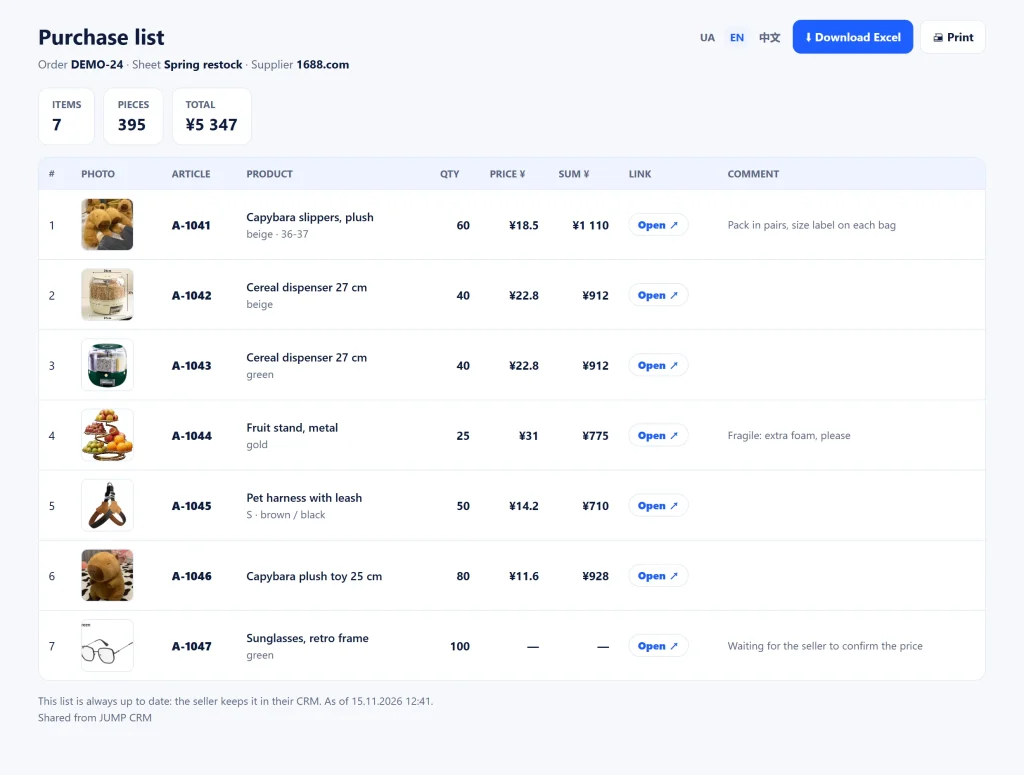
If you buy goods in China through a cargo company, you know the routine: you build a list in Excel, send it, get questions back, change a quantity, send final_v3.xlsx, and then try to work out what each item really cost you once it arrives. The Cargo module in ShelfCRM keeps all of this in one place. From today you can also share a ready list with your cargo company as a link, so there are no more Excel files.
What the Cargo module does
- Cargo orders and lists. Every purchase is a cargo order. Inside it you build one or more lists of the goods you want to buy.
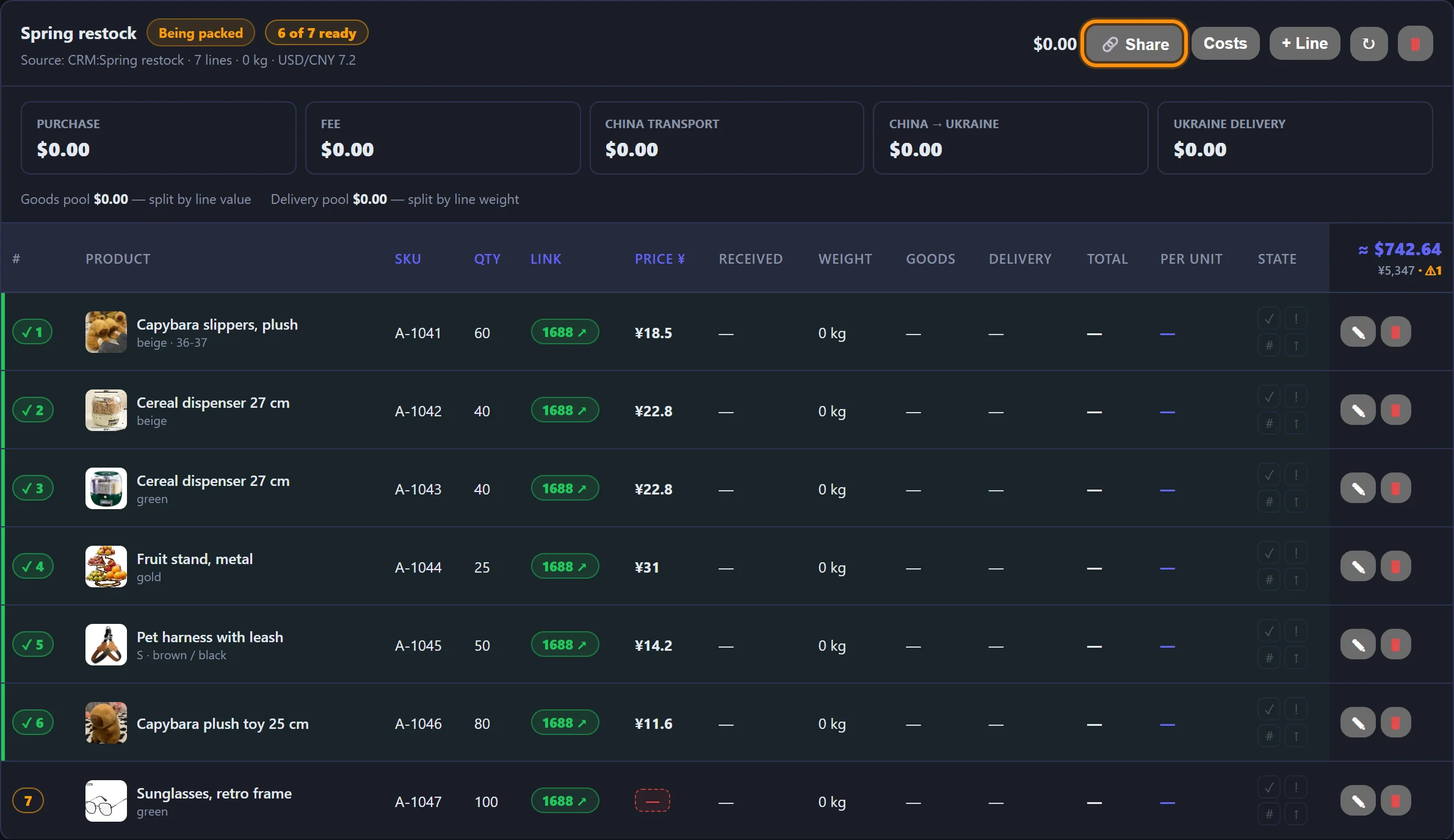
- Everything about an item in one line: the product from your warehouse (or a new one), article, quantity to order, link to 1688 or Taobao, price in yuan, variant, colour and a comment for the cargo company.
- Ready check. A line turns green once its four key fields are filled in: article, quantity, link and yuan price. The list header shows how many lines are ready, for example “27 of 47 ready”, so you can see at a glance what is still missing.
- Basket total. The sum of your basket in yuan and in dollars, at your own exchange rate.
- Price history. When you add a product you have bought before, you see its last yuan price and whether the new price is higher or lower.
- Real cost per piece. When the goods arrive, you enter what you paid: purchase, buying fee, transport in China, international cargo and local delivery. The CRM splits these costs over the items by value or by weight and shows the landed cost of every piece.
- Statuses and checks. Follow each list from “being put together” to received, and mark received quantities, problems and wrong counts.
New: share the list with your cargo company
Once the list is ready, you don’t need to export it any more. Send your cargo company a link instead.
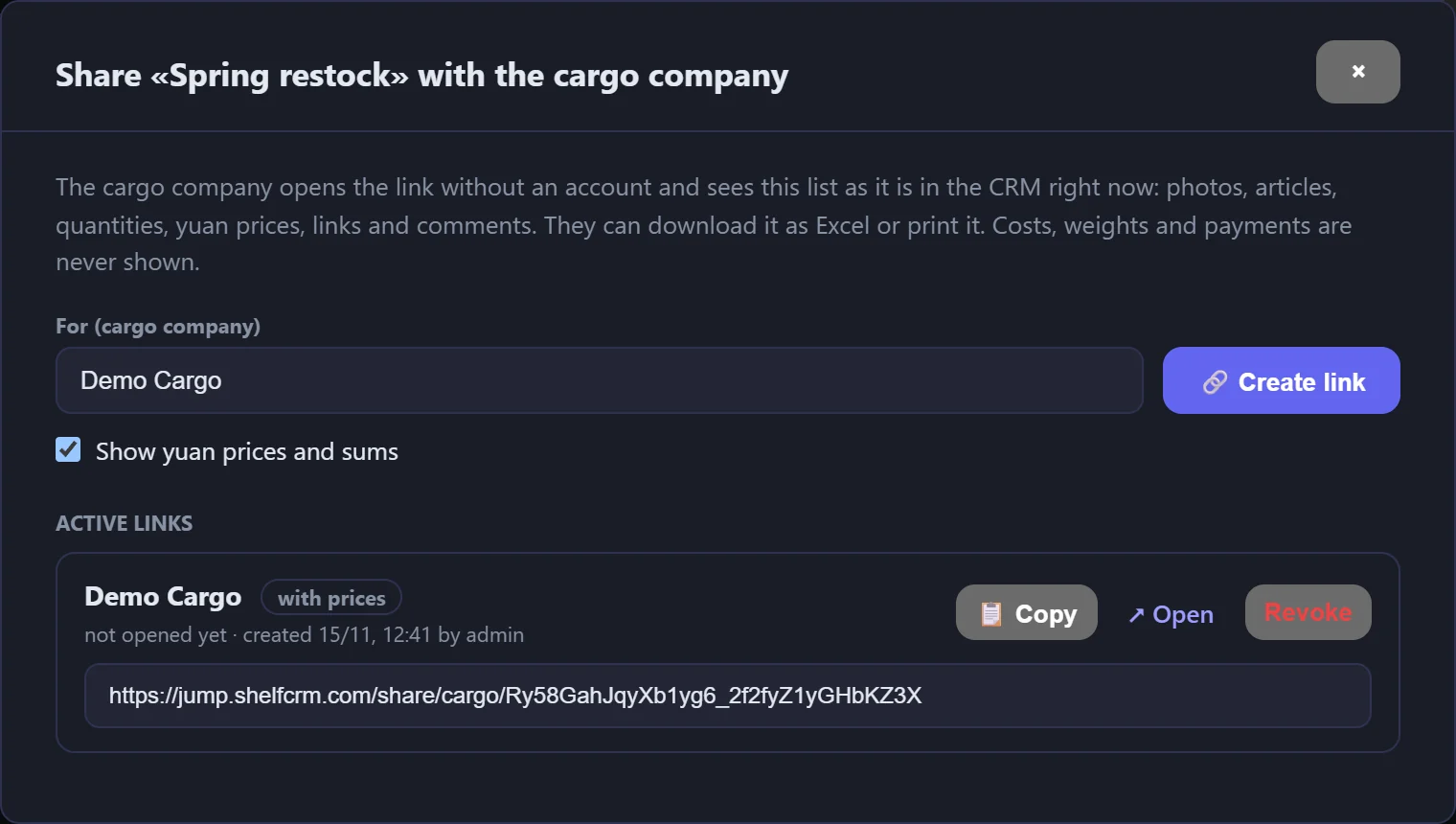
How to share a list
- Open Cargo in the CRM and open the cargo order.
- In the header of the list you want to send, press 🔗 Share.
- Check the name of the cargo company (it is filled in from the order) and choose whether to show yuan prices.
- Press Create link. The link is copied right away.
- Paste it into Telegram, Viber, WeChat or an email to your cargo company. That’s it.
What your cargo company sees
- The list opens in any browser, on a computer or a phone, without an account or password.
- For every item: photo, article, product name, variant and colour, quantity, yuan price and sum, an Open ↗ button that goes straight to the product on 1688 or Taobao, and your comment.
- Totals at the top: number of items, number of pieces and the total in yuan.
- Download Excel and Print buttons, for anyone who still wants a file.
- The page is in Ukrainian, English and Chinese (中文), so the team in China can read it too.
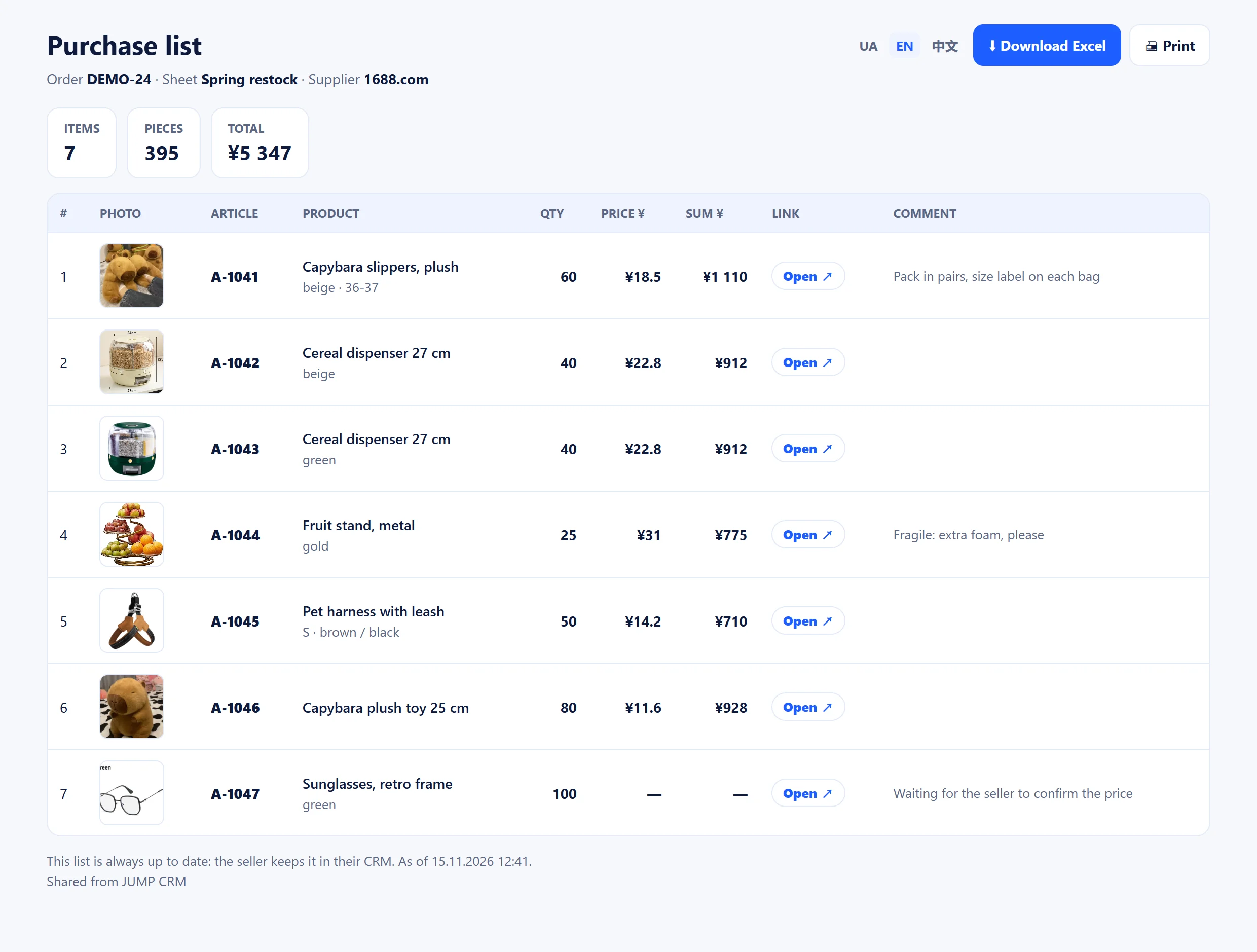
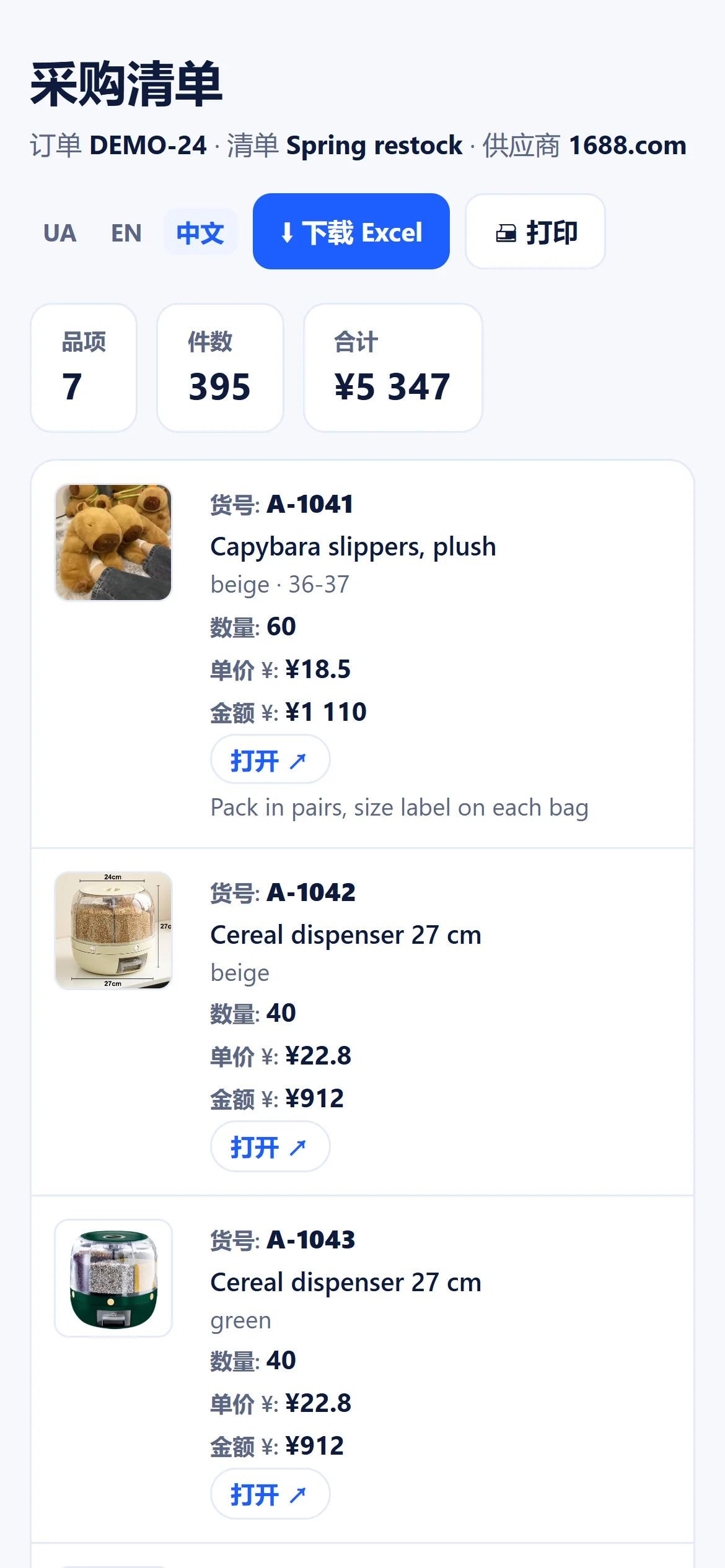
The list is always up to date. If you change a quantity, fix a link or add an item in the CRM, your cargo company sees it the next time they open the link. One link instead of ten versions of the same file.
You stay in control
- In the Share window you see every link of the list: who it is for, who created it, and how many times and when it was opened.
- Press Revoke and the link stops working at once. Deleting a list also switches off its links.
- The cargo company sees only this one list. Your costs, landed prices, margins, payments and other orders are never shown. If you prefer, you can hide the yuan prices too.
The Cargo module is part of ShelfCRM. If you buy in China and want to try it with your own cargo company, send us a request below.